

Three things landed in vbgnt this week that change what a generated game can be. Games can now be played online with friends, every game can be exported for Windows, macOS, Linux, Android and iOS from a single pane with a one-click push to itch.io, and every arcade now tells its owner who played. Here is what shipped, with the first game that got all three.
Online multiplayer, from one sentence
The test case was a game I already had in the studio: Hockey: Tactics, a turn-based hockey game, X-COM style, where you spend action points to skate, pass, shoot and body-check on a gridded rink. It was single player. I typed one message into its conversation:
ok we just added multiplayer module to our system can you add it to this game!
Not a great prompt, honestly. It worked anyway. The agent built a lobby in the game's own art style and rewired the match so one player's browser runs the game and the other's sends moves to it. Then it opened two headless browsers, hosted a room in one, joined from the other, and only finished the build when both screens showed the same rink.

This is how it works for the player. One person presses Host and gets a four-letter room code plus a Copy link button. The other types the code or opens the link. The match runs browser to browser, so there is nothing to install and no account to make. Rooms hold up to eight players, and games built for online play get an Online badge on the arcade.
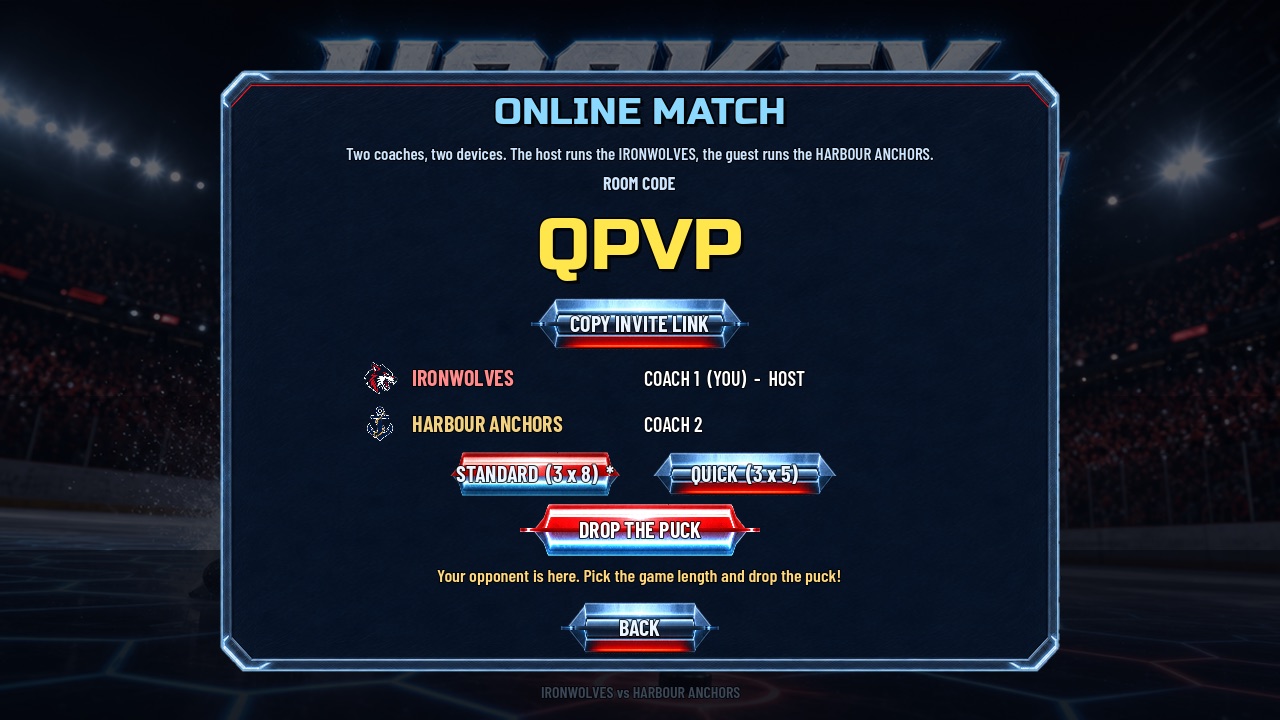
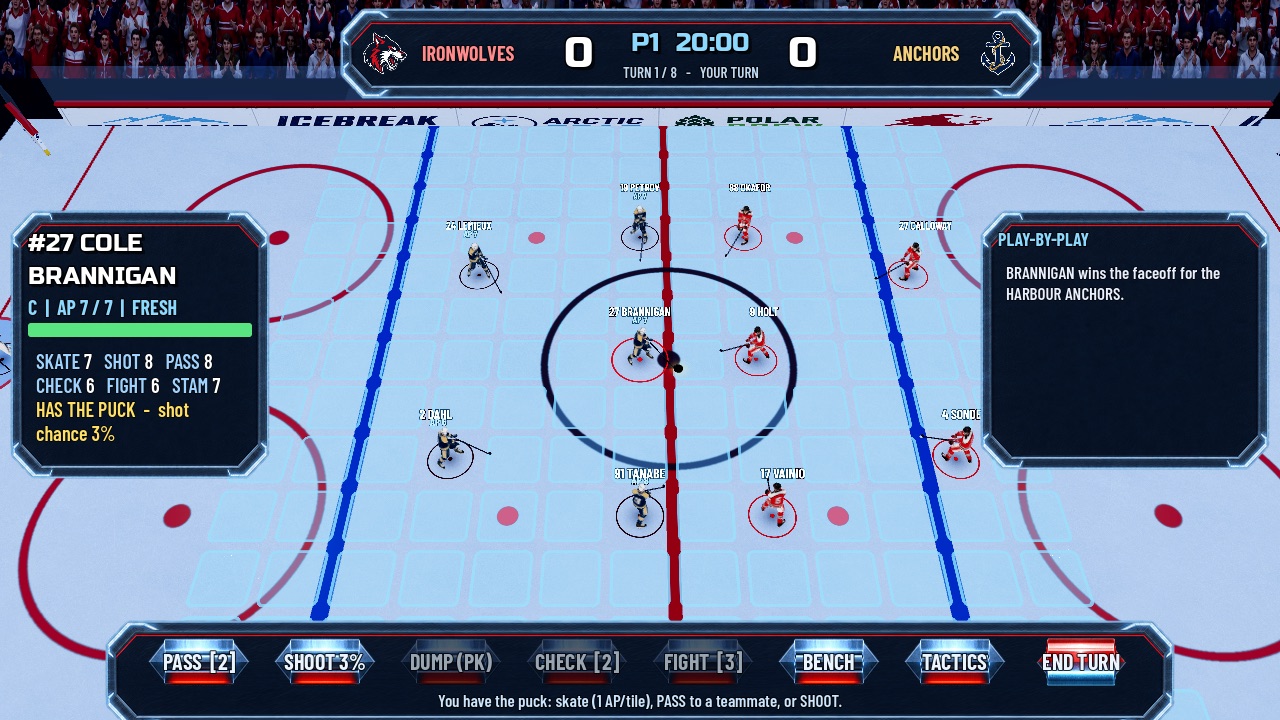
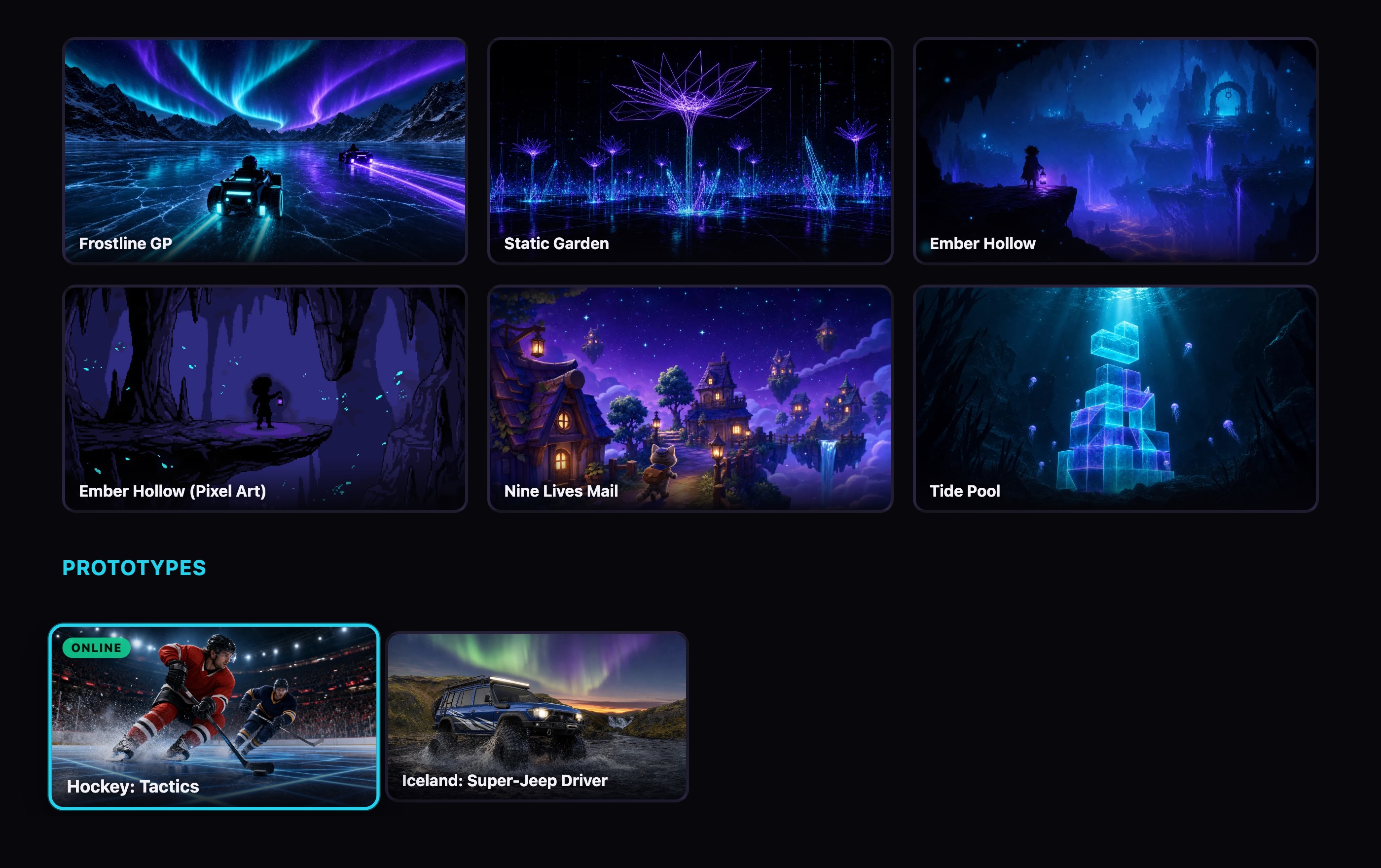
Try it: open Hockey: Tactics on the demo arcade in two tabs, press Host in one and Join with the code in the other. Or send the second tab's link to someone across town. It plays on a phone too.
The platform side of this is deliberately small. Godot already ships a good multiplayer engine; vbgnt adds only the meeting point, a room service that hands out codes and introduces the two browsers to each other, and the agent learns how to use it from a skill document. The hockey game was the first time it had ever seen that document, and it got the lobby, the host and guest split, and the test right on the first turn. This first version is built for playing with people you know: no matchmaking, no accounts, and if the host closes the tab the match ends.
Export anywhere, publish to itch.io
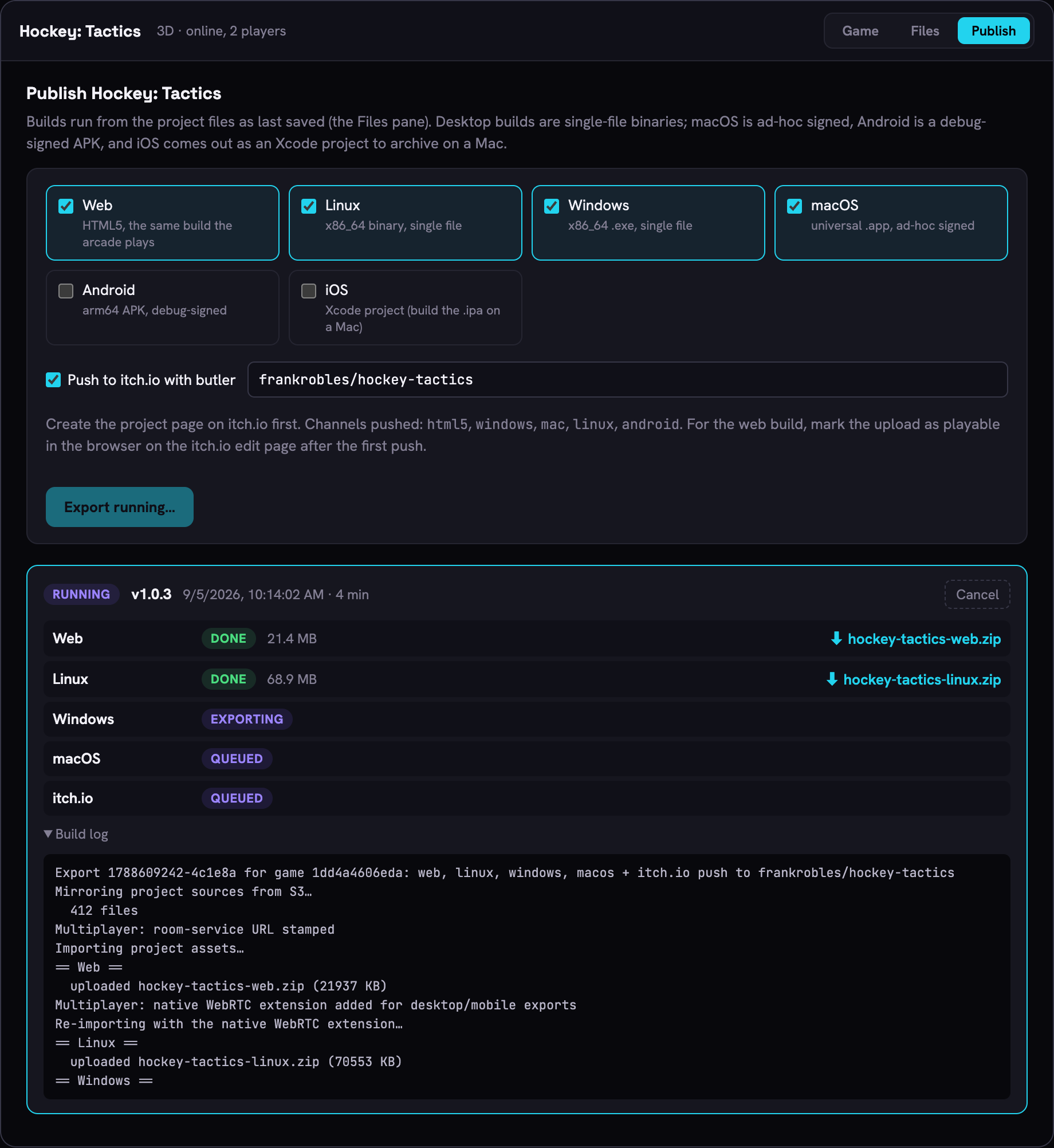
The second feature is the one I expect people to use more often. Until now a vbgnt game lived on your arcade as a web build, and getting it anywhere else meant downloading the project and running the engine's exporter yourself. Every game in the studio now has a Publish pane, next to Game and Files, that does the whole job on a dedicated build machine.
What you get for each platform
- Web: the same build the arcade plays, zipped with index.html at the root, which is exactly the shape itch.io's upload form wants.
- Windows and Linux: single-file binaries with the game data embedded. Download, run.
- macOS: a universal app, ad-hoc signed so it launches on Apple Silicon without the "damaged" error. It is not notarized, so a downloaded copy shows the unidentified-developer prompt until the player right-clicks and opens it.
- Android: an arm64 APK signed with a debug key. Fine for sideloading and for itch.io; Google Play wants your own release keystore.
- iOS: an Xcode project with your Team ID and bundle identifier filled in. Archiving the .ipa needs Xcode on a Mac, which no Linux build machine can do, so this is the one platform the pane exports but never pushes.
Tick the platforms you want, press Export, and go back to working on the game. The build machine mirrors the project as last saved, runs the Godot export for each platform in turn, packages the results and lists them with download links in the same pane. A full six-platform job takes about ten to fifteen minutes; web on its own is a couple of minutes. Each export gets a version number the studio increments for you, so the Android version code and the itch.io version string stay in step without anyone thinking about it.
The itch.io push
This is the part that turns an export into a release. Save an itch.io API key in the studio settings once. On itch.io, create the project page and note its slug. Then in the Publish pane tick Push to itch.io, enter the target as yourname/your-game, and press Export. After each platform finishes, the build machine pushes it to the matching channel on your page with butler, itch.io's own upload tool: html5 for the web build, then windows, mac, linux and android. The pane shows each channel's status next to the platform row and gives you an Open on itch.io link when the push is done.
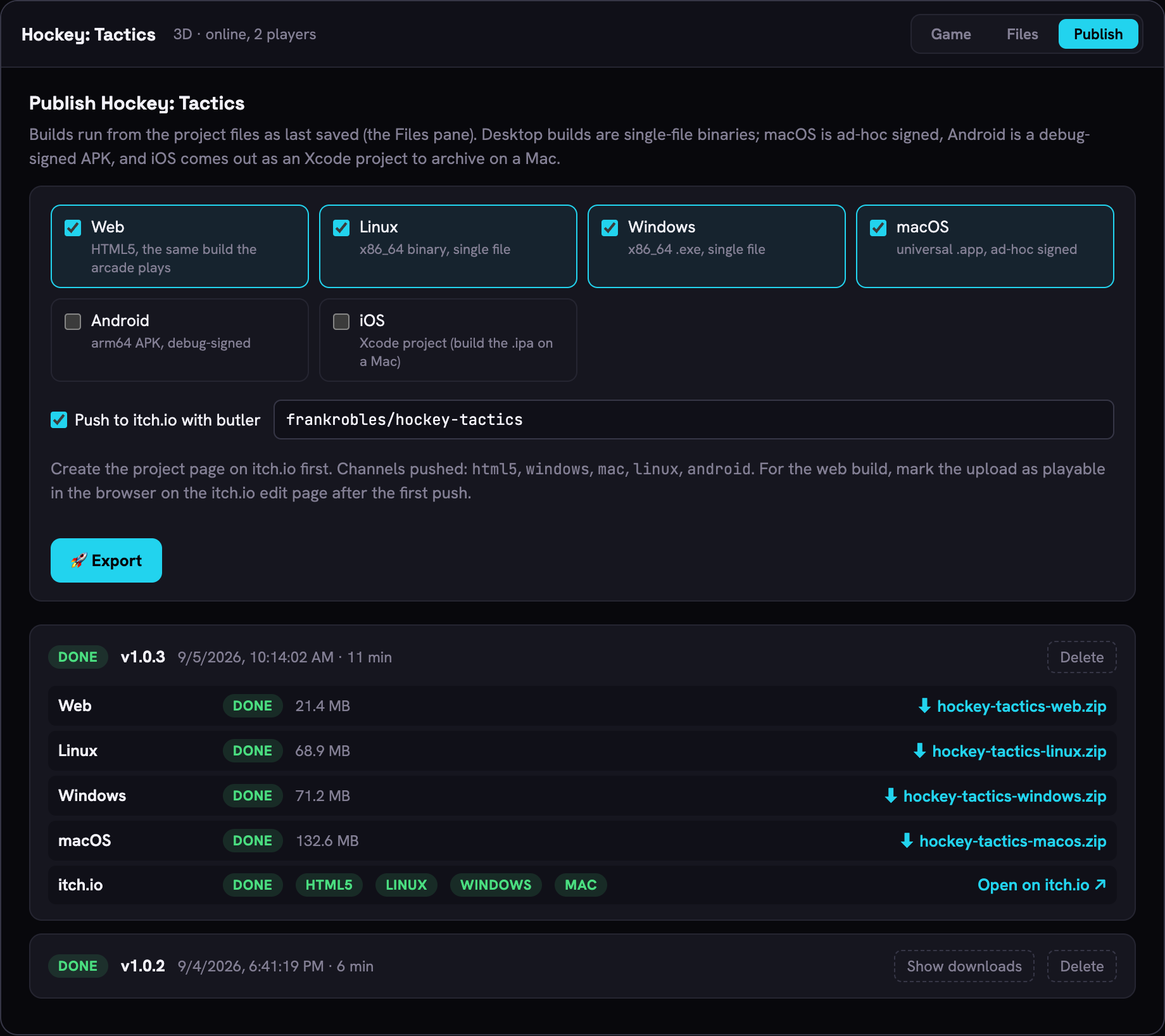
Two things to do on itch.io after the first push, both once. Set the project kind to HTML so the page gets a play button, and tick "This file will be played in the browser" on the html5 upload. After that, every later release is the same click in the studio: ask for a change, wait for the build to land on your arcade, press Export. Because butler pushes only what changed between versions, a re-release of a big game is a small upload.
Multiplayer games export like any other. The web build plays online exactly as it does on the arcade, and the desktop and mobile builds get the native networking library added during the export, so a friend on the Windows download can host a room and you can join from the browser on your phone.
Where the stores fit
The export gets you to the store's front door, not through it. Steam wants the desktop builds uploaded through its own pipeline and a $100 Steam Direct fee; Google Play wants the APK signed with a release keystore you own; the App Store wants the Xcode project archived and signed on a Mac. The vbgnt blog has a guide for each. itch.io is the one place the studio can finish for you, which is why it is the one wired into the pane.
See who played
The third feature is the one I had wanted for myself the longest. An arcade is a link you send to people, and until this week the only way to know whether anyone opened it was to ask them. Now the studio shows a panel above your games: views of the arcade page, distinct players per day, games started, and total playtime, over the last 7, 30 or 90 days. Under it, a daily chart, your five most played games with playtime each, and a split by where the plays happened. Every game card in the grid carries its own small play count too, which is what finally made reordering my shelf a decision instead of a guess.
The part I care most about is where the numbers come from. Two things report in and they never overlap. The arcade page counts its own views and the games it launches, and when a game closes it sends how long the session ran. Everywhere else, the game counts itself: every build the studio makes now carries a few dozen lines that report one play when the game boots outside the arcade page and a slice of playtime every couple of minutes while it runs. That is how a game opened from a link pasted into a group chat gets counted, and it is how the Windows, macOS, Linux, Android and iOS exports from the Publish pane get counted, each labelled with its platform. Inside the arcade page the game stays quiet, so nothing is counted twice. My own previews in the studio are ignored, and so is the headless browser that tests every build.
Just as important is what it does not do. There is no third-party analytics script, no cookies, and no consent banner. To tell a hundred people from a hundred reloads, each visitor is reduced to a hash of their address and browser that changes every day, so nobody can be followed from one day to the next, and the hashes are discarded within days. There are no per-player profiles and no list of who played. And nothing is public: the arcade page shows no counts and ranks nothing by them. I wrote about why the arcade has no feed when I built it, and a public play count is a feed by another name. The panel is for the maker. The write-up with the full list of what it refuses to collect is on the vbgnt blog.
Why these three together
Until now a vbgnt game was something you sent to a friend as a link. Now it can be something you play with them, something you put on a store page with a price on it, and something you can watch find its audience. All three features are about the game leaving the studio and you still knowing what happened to it. Everything before this was about getting it built.
More detail on each is on the vbgnt blog: how the export pipeline works, publishing on itch.io step by step, how online play works, and how the arcade counts plays without tracking anyone. The studio is still invite-only; you can ask for an invite here.