
Back in July I wrote about building my own personal dream game console: think of a game, describe it, and have it playable on your screen a short time later. In August that became vbgnt. In early September, vbgnt got a marketing kit to generate store page kits and trailers, along with an MCP server so people could run the studio from their own agents.
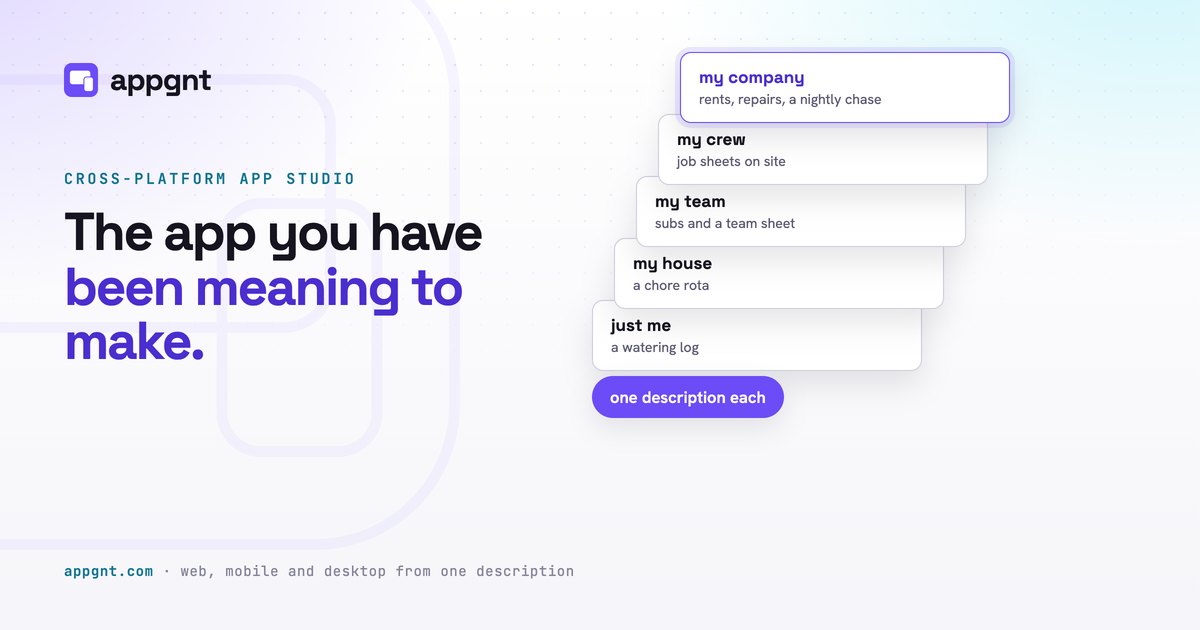
Then I forked the vbgnt studio and pointed it at apps instead of games. That fork is appgnt. The machine is the same shape: a cloud microVM per session, a coding agent, a headless browser that tests the result before a human sees it, and a publish step. What changed is what gets built. Instead of a Godot game, it builds a React app, along with everything that real software needs: offline data, accounts, a backend, native installers, store listings, and custom domains.
You can open the output right now
The fastest way to understand it is to open something. Here are five apps built in the studio, climbing from a single-user utility to multi-user operations:
- Sprout: A houseplant watering and feeding log. You can add plant photos and set evening-before reminders. Data stays on the device, with no account required.
- Chores: A shared household chore rota. It uses email sign-in, syncs across devices, and keeps a permanent record of who actually did each chore.
- Subs: A Sunday football team sheet. It tracks who is in, match details, fees, and lifts. Players manage their own replies, while only the organizer can mark payments as received.
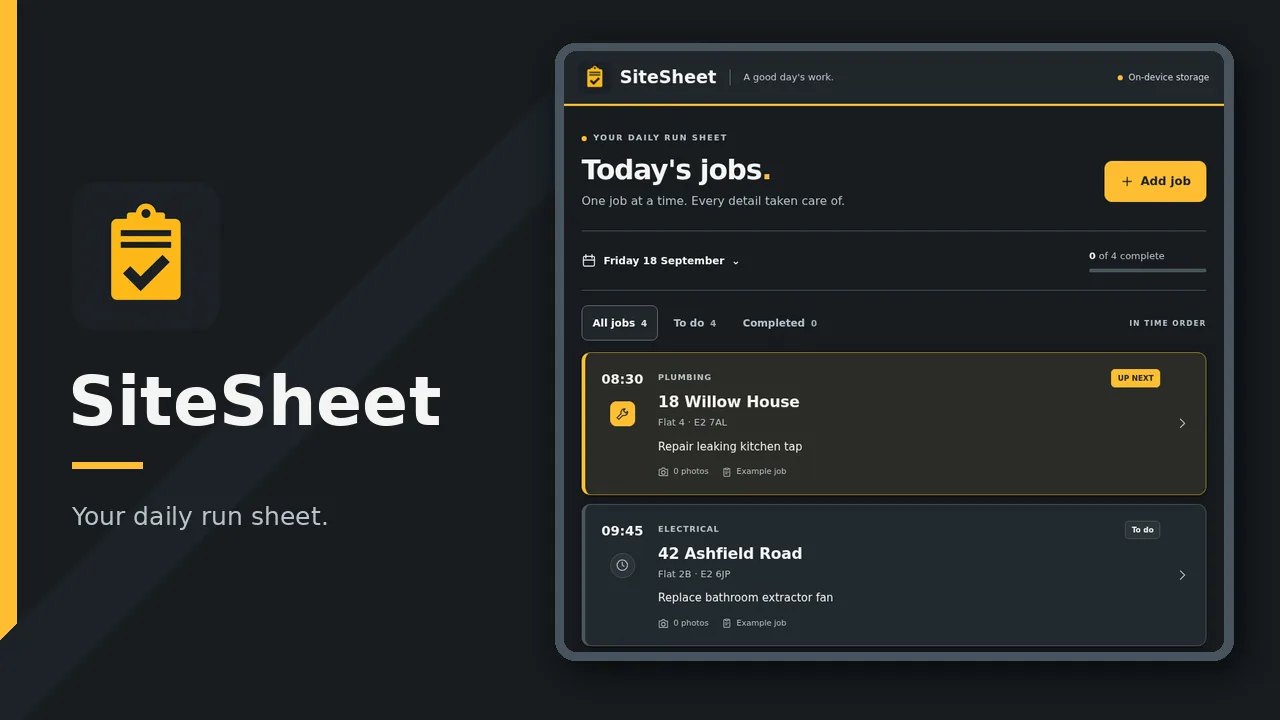
- SiteSheet: A job sheet for maintenance crews working on a phone on site. It captures before and after photos, collects a finger-drawn customer signature, and locks jobs once signed. Everything stays on the device so it works without cellular signal.
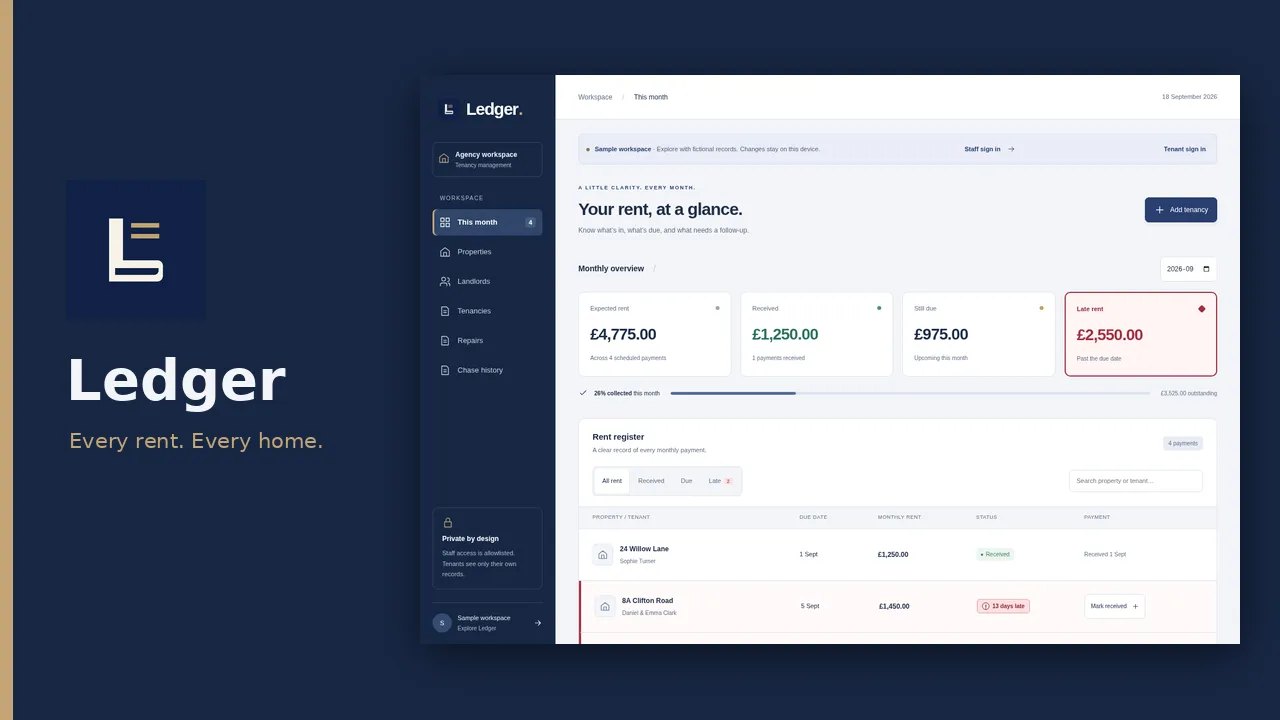
- Ledger: A letting agency app for managing shared tenancies, rent, and photo repairs. It includes private tenant access and runs nightly rent chases with an exact email history.
There are more examples on the front page, including Water Tracker, Petster, Alarm Face, PrioriTask, and StockTake. Each one started as a description.
What's underneath
- You describe it: You explain who uses the app, the one job it does, the data it holds, the target devices, and what should happen when there is no signal. A sentence works, but a paragraph is better.
- The agent builds it: A cloud microVM boots with the toolchain, kept warm across the conversation. It creates a real React, TypeScript, and Vite project with a PWA manifest and service worker. It also scaffolds Capacitor shells for Android and iOS, alongside a Tauri 2 shell for Windows, macOS, and Linux. The coding brain is Claude Code (using the Claude Agent SDK) for Claude models or OpenAI's Codex CLI for OpenAI models, running on your own sign-in or API key.
- It tests its own app: The environment runs a type check and Vite build, then opens the app in headless Chromium across phone (390x844, touch emulation), tablet (820x1180), and desktop (1440x900) viewports. Any console errors, uncaught exceptions, failed requests, or an empty page fail the run immediately. The agent reads the screenshots of each screen size before it replies to you.
- It ships: The web build publishes to
appgnt.com/a/<slug>/and is installable directly from the browser as a PWA. The first version usually lands in minutes.
Step 3 is the one that makes the rest work. The agent does not emit code and hope for the best. It loads the built application, checks for rendering errors, and evaluates its own visual output, so broken runs get caught and fixed before you ever see them.
What apps need that games don't
- Data stays on the device by default: Apps default to localStorage or IndexedDB. It is fast, works offline, and requires no account. A simple checklist or tracker should stay local.
- A backend only when the app cannot do without one: When you need accounts, data sync between devices, collaboration, secrets that cannot ship in client bundles, or tasks that run while the app is closed, the studio provisions infrastructure. It creates an isolated AWS CloudFormation stack containing a Cognito user pool, DynamoDB table, Lambda functions, and SQS queues. Requests only reach an app's resources by assuming that app's specific IAM role. Isolation is an IAM fact, not an application promise. Limits per app are capped at 12 collections, 4 queues, 8 functions, and 8 secrets.
- Exports, built on AWS Fargate: The studio builds installers on AWS Fargate, one task per export. It outputs Android debug and release APKs plus an AAB signed with a per-app key, Linux AppImage and .deb packages, and a Windows NSIS installer. Spike timings on the template: 197 seconds for Android, 50 for Linux, and 36 for Windows.
- The marketing kit and the app page: The studio automatically captures real screenshots of your deployed web app in a headless browser at store sizes. It generates icons, store art, and store listing copy within the exact character limits of Google Play and the App Store. It also publishes a page at
appgnt.com/p/<slug>featuring download links, a generated privacy policy that Google Play and the App Store require, and a support form that emails the owner without either side seeing the other's address. You can see a live example with Water Tracker. - Your own domain: You can point a bare domain or subdomain at your published app. Certificates are issued and renewed automatically.
- The MCP server at
api.appgnt.com/mcp: Using OAuth 2.1 (setup instructions), assistants you already use like Claude, Claude Code, Codex, or Cursor can connect to your account. They can create apps, follow builds, edit files, run exports, and publish the app page. API keys and model sign-ins are deliberately not settable over MCP. - You own the code: You get an ordinary React and TypeScript project alongside the generated Android, iOS, and Tauri projects, downloadable as a zip any time. The source and the builds leave with you; hosting of the web build and the backend are what stay with appgnt.
Honest limits
The first build is a working draft. Getting to the exact app takes a short, specific conversation.
iOS and macOS come as project zips with build steps because Apple builds need a Mac with Xcode.
Store submission is yours. You will need your own accounts, you will pay the fees (US$25 once for Google Play, US$99 a year for Apple), and you handle review. Push notifications also require your own Firebase or Apple accounts.
There is no Android emulator or Xcode on the build machine. The native lanes are wired by rule and tested at export, while the web build is what gets tested on every turn.
Small and specific beats big and vague. One job done properly beats an ERP.
Invite-only for now
appgnt is invite-only while I build it out, and there is no public price list yet.
If you want to try building an app with it, you can request an invite.
In the meantime, feel free to open Sprout and water a plant.